The Myth of Internet Anonymity
Explore why absolute internet anonymity is a myth by uncovering how networks, hardware, and behavior reveal identity.
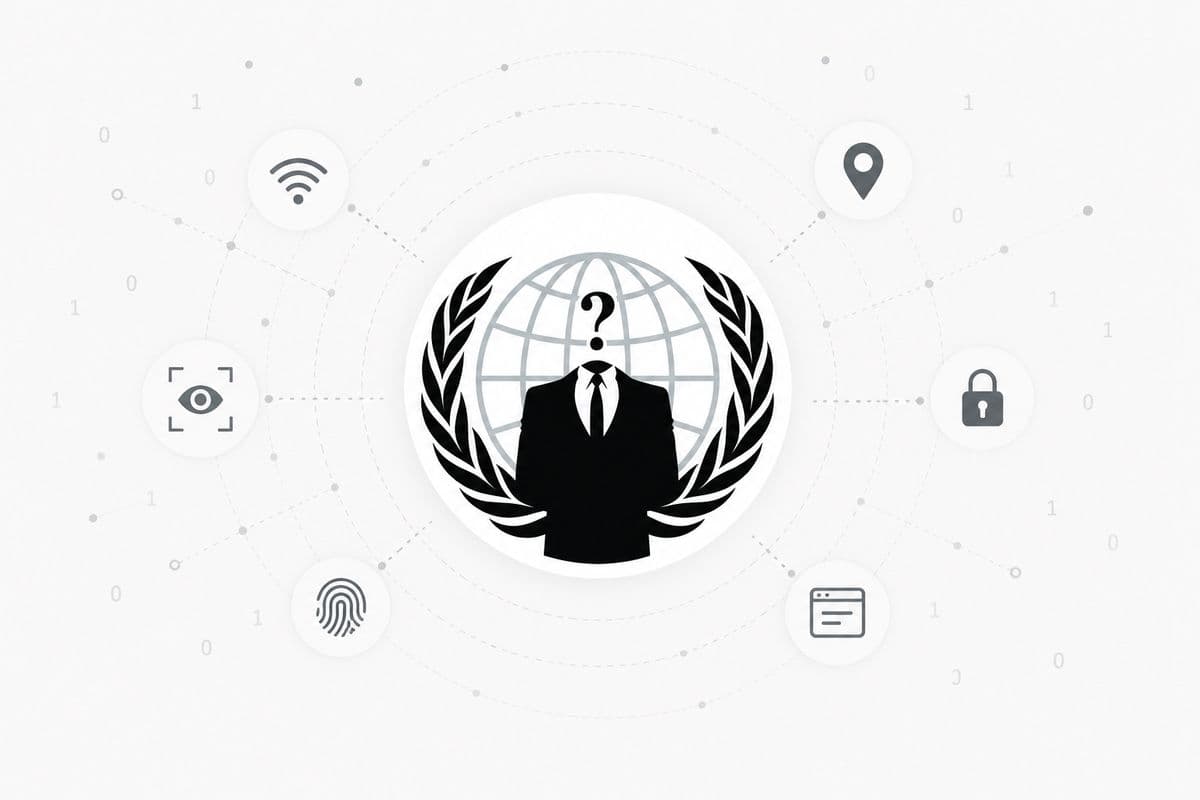
Privacy v/s Anonymity
Imagine this.
You create a brand new email address, sign up for a social media account with a fake name, browse using incognito mode, and maybe even turn on a VPN because that is what every "protect your privacy" video recommends.
Congratulations, you might think you are anonymous now.
Well, not exactly.
One of the biggest misconceptions people have is treating privacy and anonymity as interchangeable concepts, when they are actually solving two completely different problems.
Privacy is about controlling what people know about you.
Anonymity is about preventing people from knowing who you are.
Those sound similar until you put them into a real-world example.
Imagine you are standing in a room wearing a mask.
Nobody knows your name or recognizes your face, which means you are anonymous.
Now imagine you start telling everyone where you work, what city you live in, your birthday, and the name of your dog.
Suddenly, even though you are still wearing the mask, someone might be able to figure out exactly who you are.
The mask gave you anonymity, but your own actions took away your privacy.
The opposite can happen too, like when you log into your bank's website.
The bank absolutely knows who you are (there is no anonymity there), but thanks to encryption and authentication, nobody else can read your balance or transaction history.
Your identity is known, but your information remains private.
It is a subtle distinction, yet almost every discussion about being anonymous online ends up mixing the two together.
People often ask questions like which browser is the most anonymous, which VPN makes them invisible, or if they can be completely untraceable online.
They are all searching for the same thing: absolute invisibility.
Unfortunately, that is not really how security works.
Instead of asking how to become impossible to identify, security professionals use threat modeling to ask who they are trying to hide from.
If you are simply trying to stop advertisers from building a profile on you, your solution might be a privacy-focused browser, tracker blockers, and limiting the information you share.
If you are an investigative journalist working under an authoritarian government, or a whistleblower exposing corruption, you are operating under an entirely different threat model.
The tools, precautions, and acceptable risks are far more extensive because the consequences are far more serious.
There is no universal checklist for anonymity, nor is there a magical combination of settings that makes you invisible to everyone.
Every layer of protection is designed against a particular threat.
A VPN hides something from your internet provider but not necessarily from the website you are visiting, and encryption protects your messages in transit but not from the person receiving them.
Your anonymity is only as strong as the weakest piece of information you are willing, or accidentally manage, to reveal.
Anonymity on the internet is not a switch you turn on, but rather a continuous process of deciding who you are hiding from, what you are trying to protect, and how much risk you are willing to accept.
Once you adopt this mindset, you will stop asking if you are anonymous and start asking who you are trying to hide from, which naturally leads us to the technical foundation of how we are tracked.
Network Mechanics
This is where most people start imagining hackers staring at a green matrix of code.
In reality, the internet is far less dramatic and much more systematic.
Every time you open a website, your computer has to answer a simple question: where do I send this request?
The internet cannot deliver data to a vague description; it requires a specific address.
Think of an IP address as the return address on a letter.
When you mail a package, the recipient needs to know where to send a reply.
Your device sends a request to a server asking to see its homepage, and includes its IP address so the server knows where to send the response back.
That is why every website you visit sees your IP address.
It is not spying on you; it literally could not respond without knowing where you are on the network.
An IP address usually does not reveal your exact home address, but rather identifies the network you are connected to and gives a rough indication of your geographic location.
It is more like knowing someone lives in a particular apartment complex than knowing which room they are sitting in.
However, your IP address is only the first piece of the puzzle, as your data must travel through several intermediaries before reaching its final destination.
The Middleman You Forget Exists
Every request you make passes through your Internet Service Provider (ISP), whether you are using your home Wi-Fi or mobile data.
Your ISP is effectively the bridge between your device and the rest of the internet, meaning they can see quite a bit.
They know when you connected to the internet, which IP address was assigned to you at that time, and which servers your device communicates with.
Even when a connection is encrypted with HTTPS, the ISP still knows you are talking to a particular service, even if they cannot read the encrypted contents of that conversation.
A useful analogy is sending a sealed envelope through the postal service.
The postal worker cannot read the letter inside, but they still know who sent it, who it is addressed to, when it was mailed, and where it is going.
That is metadata, and metadata often tells a surprisingly detailed story, which becomes even more apparent when we look at how your device finds websites.
The Internet's Phonebook
Humans remember names like google.com or github.com, but computers do not.
Before your browser can visit a website, it has to translate that human-friendly name into an IP address using a process called DNS (Domain Name System).
When you type a domain name, your device asks a DNS resolver for the IP address before it can actually connect to the website.
For years, these DNS lookups were often sent in plain text, meaning anyone handling your network traffic could easily see every domain you were trying to visit.
Modern technologies like DNS over HTTPS (DoH) and DNS over TLS (DoT) encrypt these lookups, making them much harder for intermediaries to inspect.
Instead of your ISP seeing every DNS query directly, they are more likely to see that you are communicating with a DNS provider such as Cloudflare or Google.
This is a meaningful privacy improvement, but it does not make you anonymous because the destination server still knows you connected.
Privacy on the internet often means you are not eliminating trust, but rather deciding who you trust, and the destination you are trusting is also keeping records.
The Website Is Taking Notes Too
When your request finally reaches a server, it does not simply send back a webpage and forget you ever existed.
Servers routinely record information about incoming requests in logs, which are incredibly useful for diagnosing outages, investigating attacks, measuring traffic, and improving performance.
A typical request can include your IP address, the exact time of the request, the accessed resource, your browser details, the referring page, and whether the request succeeded or failed.
Large platforms usually go even further by collecting infrastructure telemetry, which includes operational data about how their systems are being used.
None of this necessarily exists to identify you personally, as much of it is essential for detecting abuse, preventing fraud, balancing server load, or figuring out why a new deployment broke.
Every internet interaction leaves traces because modern websites need observability to stay online and defend themselves against malicious activity.
Before anyone tries to track you deliberately, the internet already leaves a detailed trail simply because that is how it works, leading many to seek out quick fixes like a VPN.
The Illusion of the VPN
If you have ever searched for ways to be anonymous online, you have probably seen the advice to just use a VPN.
While they are not wrong, they are leaving out a very important part of the story.
What a VPN Actually Does
A Virtual Private Network creates an encrypted tunnel between your device and a VPN server.
Instead of your internet traffic going directly from your computer to the website you are visiting, it takes a small detour.
Your ISP can no longer inspect the websites you are visiting because everything between you and the VPN server is encrypted.
Meanwhile, the destination website no longer sees your home IP address, but rather the IP address of the VPN server.
This is incredibly useful for making it harder for websites to associate your activity with your home connection and preventing your ISP from building a browsing history.
But notice something subtle.
Your data did not disappear; it simply changed hands, bringing us to a crucial realization about trust.
You're Not Removing Trust, You're Moving It
Without a VPN, your ISP sits in a privileged position to observe the connections leaving your network.
With a VPN, much of that visibility shifts to the VPN provider instead.
You haven't eliminated trust; you have merely moved it.
This is why a "no-logs policy" has become such a common marketing phrase among VPN providers.
You are trusting that the provider's infrastructure behaves the way they say it does and that their software is correctly implemented.
A VPN hides your traffic from your ISP, but it does not magically make you anonymous to every website, every tracker, or every organization on the internet.
Even a perfect tunnel has blind spots.
When the Tunnel Springs a Leak
Even if your VPN is working perfectly, there are ways information can escape around it rather than through it, such as a DNS leak.
Ideally, when you are connected to a VPN, those DNS lookups should also travel through the encrypted tunnel.
If they do not, your device might still send DNS requests directly to your ISP.
This is like putting your letters into a locked armored truck but shouting the destination to everyone standing on the sidewalk before the truck leaves.
The contents remain protected, but you have still revealed where you are trying to go.
Most modern VPN clients are designed to prevent DNS leaks, but configuration mistakes or poorly implemented clients can still cause them.
The Browser That Talks Too Much
Another well-known issue involves WebRTC, a browser technology that enables real-time communication like video calls without requiring plugins.
To establish those direct connections efficiently, browsers sometimes expose information about your network configuration.
In certain situations, websites can use WebRTC to discover your local IP address, and potentially your public IP address, despite the VPN being active.
Your browser is a surprisingly complicated piece of software handling video calls, hardware access, networking, and dozens of web APIs.
Every one of those features is another opportunity for information to be exposed in ways you did not anticipate, proving that a VPN alone is not enough.
A VPN Is a Tool, Not a Cloak
VPN marketing often paints a picture of complete invisibility, but the reality is far less dramatic.
A VPN is one layer in a much larger privacy strategy that is excellent at protecting your traffic from certain observers.
It does not stop you from logging into your personal accounts, erase browser fingerprints, or prevent tracking cookies.
A VPN answers how to protect traffic from the network between you and the internet, but it is not the answer to complete anonymity.
This becomes painfully clear when we look beyond your IP address to the software you use to browse the web.
Beyond the IP
By this point, you might think you are difficult to track because you have hidden your IP address behind a VPN.
For years, people treated the IP address as the primary way to identify someone online, but websites eventually realized they did not always need to know where a request came from.
Sometimes, they could identify the browser itself.
Your Browser Has a Surprisingly Unique Personality
Every browser tells websites a little bit about itself, which is completely normal for displaying pages correctly.
Individually, things like your screen size, supported features, and preferred language are not particularly revealing.
Together, they become surprisingly distinctive through a technique known as browser fingerprinting.
A browser fingerprint is built by observing characteristics that your browser naturally exposes, such as your operating system, screen resolution, installed fonts, and hardware specifications.
Canvas Fingerprinting takes this further by asking your browser to draw a hidden image, resulting in microscopic variations caused by your specific hardware and software configuration.
The website hashes that rendered image into a compact identifier, adding yet another piece to your browser's fingerprint.
None of these signals alone uniquely identify you, but combining dozens of them makes your browser look like a specific profile rather than one of millions.
It is less like recognizing someone's face and more like recognizing them by their handwriting.
"I Cleared My Cookies."
That is a great step, but the website might still know it is you.
Cookies are the most famous tracking mechanism on the internet, but websites have spent decades inventing other ways to remember visitors.
HTML5 Local Storage allows websites to save significantly more data directly in your browser, acting as another place where identifiers can live.
ETags, a feature originally designed to improve performance by caching files, have been abused as persistent tracking tokens to recognize returning visitors.
Supercookies are an umbrella term for tracking mechanisms that are more persistent or harder to remove than ordinary browser cookies, often exploiting multiple storage locations.
Every time users become aware of one tracking method, another one appears, making online privacy an ongoing arms race.
Even the Way You Move Can Say Something About You
Imagine removing your name, IP address, cookies, and browser fingerprint; researchers could potentially still recognize you based on how you interact with websites.
The speed at which you type, the rhythm of your scrolling, and the tiny corrections your cursor makes form patterns that are surprisingly consistent over time.
This is known as behavioral profiling, and combined with everything else we have discussed, it becomes another powerful signal.
Many websites use these signals for legitimate reasons, like banks distinguishing between genuine users and automated bots.
Modern tracking rarely depends on one perfect clue, but rather operates like assembling a jigsaw puzzle where many small pieces create an unmistakable image.
Being anonymous online is about understanding how dozens of tiny, seemingly harmless details can quietly come together to describe you.
This tracking does not even require an internet connection to start, as your physical hardware has its own story to tell.
Your Device Is the First Betrayal
All the software defenses we discussed apply after you have already connected to the internet.
But even if you built the perfect operating system and used Tor religiously, you would still be carrying around a piece of hardware that betrays you.
It Starts the Moment You Buy the Device
When someone suggests using a burner laptop, the assumption is usually that buying a different device magically breaks the connection to their identity.
In reality, buying a brand-new laptop with a credit card creates a purchase record linking you to that exact device's serial number.
Even paying with cash at a modern store involves CCTV cameras, timestamps, and your phone quietly broadcasting its presence while you stand in line.
In a truly hypothetical scenario of absolute anonymity, you would have to acquire a second-hand device with cash through an intermediary to ensure no digital or physical trail links you to the hardware.
The problem snowballs before you even turn the computer on.
Hardware Has an Identity of Its Own
Even after wiping the hard drive and installing a privacy-focused Linux distribution, the hardware itself has not forgotten who it is.
Every network interface has a permanent MAC address, and while your operating system can temporarily spoof it, the underlying hardware address remains intact.
Mobile devices feature an IMEI assigned to the cellular modem, which carriers use to identify the device and estimate its physical location using nearby cell towers.
Replacing the operating system or factory resetting the phone does not change the IMEI because the identifier is part of the hardware, not the software.
The Operating System You Never Installed
Your smartphone is likely running two operating systems: the familiar one you interact with, and a closed-source baseband processor that manages all cellular communication.
This modem operates largely independently, meaning it can continue communicating with the cellular network even if your main operating system crashes.
This illustrates that there are parts of your phone operating below the level of software you normally control, making true privacy incredibly difficult to verify.
Your Device Is Constantly Looking Around
Even if you only use trusted networks and avoid public Wi-Fi, your device's wireless radios are constantly searching for nearby connections.
Historically, Wi-Fi devices would send probe requests broadcasting the names of previously connected networks, allowing passive listeners to infer your location history.
While modern operating systems mitigate this by randomizing MAC addresses during scans, wireless communication inherently leaks metadata before you ever open a browser.
Simply existing on a wireless network involves revealing something.
When Physics Becomes the Identifier
At the most extreme level of tracking, physical manufacturing imperfections within radio transmitters can be used for identification.
Microscopic differences in analog components slightly alter the radio signal they produce, allowing specialized equipment to perform Radio Frequency (RF) Fingerprinting.
Those tiny imperfections act like a physical fingerprint, distinguishing one transmitter from another even if higher-level identifiers have been changed.
Sometimes the identifier is not stored in software, but is embedded directly in the physics of the hardware itself.
Chasing the Impossible
Every time we remove one identifier, another quietly appears, from browser fingerprints to hardware MAC addresses and RF emissions.
Anonymity is not a binary state, but a game of reducing signals, limiting correlations, and making identification progressively more difficult.
However, the technology is only half the battle, as the most unpredictable component is often the person behind the keyboard.
Stylometry & OpSec
It is tempting to think that if you stack enough privacy tools together, you will eventually become anonymous.
But all those carefully built technical defenses have to contend with human behavior.
Your Writing Has a Fingerprint Too
Every writer develops habits without realizing it, such as overusing certain words, preferring short sentences, or adopting regional spellings.
These habits form a distinctive signature analyzed in a field called stylometry, which uses statistical analysis to attribute anonymous texts to known authors.
Programmers have coding styles too, encompassing indentation, variable naming conventions, and the kinds of mistakes they repeatedly make.
Modern machine learning models can analyze these linguistic and syntactical patterns effectively, meaning your own writing may introduce you while you are busy hiding your IP address.
The Weakest Link Is Usually Human
Operational Security (OpSec) suggests that your anonymity is not determined by your strongest protection, but by your weakest mistake.
Someone could create an anonymous account using Tor and a hardened browser, only to correlate themselves by posting identical opinions on both their anonymous and personal accounts.
The technology did not fail; the person simply created a recognizable pattern.
Humans tell the same stories, keep similar schedules, and mention the same hobbies, making these combined clues remarkably identifying.
Anonymity is less about technology and more about discipline, as technology can only reduce the information you expose, while your behavior dictates the rest.
This behavioral discipline is essential even when using the most advanced privacy networks available.
Enter Tor
If VPNs are about shifting trust, Tor (The Onion Router) is about trying to reduce it by wrapping your data in multiple layers of encryption.
Instead of sending your traffic through a single VPN server, Tor routes it through a chain of volunteer-operated relays.
The entry guard knows who you are but not your destination, the middle relay only knows the adjacent nodes, and the exit relay knows the destination but not the sender.
By distributing knowledge instead of centralizing it, Tor makes it much harder for any single participant to identify both the sender and the recipient.
It is an elegant privacy system, but it is important to remember that it makes tracking harder, not impossible.
The Problem With Watching Both Ends
One of the most studied attacks against Tor is traffic correlation, which does not try to break the encryption, but rather observes both ends of the communication.
Notice that neither the encryption nor the routing failed, as the attack relied entirely on metadata such as when the data was sent, how much was sent, and where it went, rather than what was actually said.
If a sufficiently capable adversary observes the encrypted traffic entering and leaving the Tor network, they can compare packet timing and volume to infer which incoming connection corresponds to which outgoing one.
While computationally difficult, this vulnerability demonstrates that perfect technical privacy is an illusion when metadata can still be analyzed.
This proves that the system is only as secure as the person utilizing it.
The Person Behind the Keyboard
It is easy to assume that technology is the hardest part of anonymity, but ironically, the hardest thing to anonymize is the person using the computer.
Every message you write, schedule you keep, and tiny lapse in judgment adds another clue to the puzzle.
Anonymity is rarely lost because a spectacular piece of technology failed; it is lost because dozens of tiny details quietly lined up until the picture became obvious.
The internet identifies you with a thousand tiny fingerprints, many of which you leave behind yourself.
The Verdict
If by anonymous you mean completely invisible to everyone, then no, it is not realistically possible.
Every interaction leaves traces, and against a sufficiently capable adversary, absolute anonymity is more of a theoretical ideal than a practical reality.
However, the goal was never to become invisible, but to understand who you are trying to protect yourself from and to make unnecessary tracking as difficult as reasonably possible.
A VPN, Tor, or a privacy-focused browser will not solve everything independently, but together, each layer reduces exposed information and raises the cost of identifying you.
Privacy is not a switch you turn on; it is a series of informed decisions.
So instead of asking if you can be truly anonymous on the internet, the better question is who you are trying to remain anonymous from.

Comments (0)
No comments yet. Be the first to share your thoughts!